-------------------------------------

How AI Helps Designers Become More Creative Instead of Less Creative

Jul 9 / Milan Fashion Campus

Key Takeaways

Also, if you treat AI like a fast idea generator first and a judge second, you get more range without locking into the first decent option.

  • Use AI for divergence first (many directions), then switch to judgment (pick, combine, refine)

  • Run 2 to 3 short prompt variations to widen the concept space before you choose one route

Next, creativity tends to improve when AI takes the repetitive work off your plate, so you can spend your best attention on taste, editing, and storytelling.

  • Offload repetitive tasks like naming batches, layout variations, copy alternatives, or rough moodboard captions

  • Reserve 20 to 40 minutes for the human pass: tighten hierarchy, adjust pacing, and make choices that fit the brief

That said, clear inputs, constraints, and authorship rules are what keep outputs feeling original and consistent with your design voice.

  • Give specifics: audience, format, length, brand adjectives, and 2 to 3 “must avoid” notes

  • Add constraints like “3 concepts only,” “one strong metaphor,” or “match our existing typography style”

  • Keep authorship clean: you select, rewrite, and combine pieces so the final work is yours

When AI feels like a shortcut and your ideas start to look the same

Deadline week hits: you have three comps to show by tomorrow, your mood board is half-finished, and you ask AI for “fresh poster concepts.” It gives you clean, plausible ideas, but after five minutes you notice the problem. The options feel like things you have already seen, and worse, they all feel similar to each other.

So the issue is not that AI has “no creativity.” The issue is that it is good at giving you the most statistically likely answer, which often lands in the same safe middle as everyone else’s prompts. It works best when you need speed and volume in the messy early phase, and it fails when you treat the first output as a final direction.

Here’s why this can still help your creativity: in most design processes, something like 70–90% of early concepts get tossed once you start testing against constraints like brand voice, audience, format, and production limits. If you normally sketch 10 weak-to-okay directions in 60 minutes, using AI to generate 30 rough directions in the same hour can get you to the 3 worth developing by the end.

Common mistake: asking for “unique” ideas and accepting whatever comes back. Fix it by using AI as a rapid option generator, not a decision maker.

  • If you do one thing, do this: treat AI outputs as disposable drafts you mine for fragments

  • If you’re short on time, skip polishing prompts and instead run 3 quick rounds of variation (for example: change audience, medium, and constraint)

  • Watch for sameness signals: repeated metaphors, identical layouts, identical color stories, generic taglines

Use AI to generate more possibilities without committing to any of them

Next, treat AI like a sketchbook, not a decision-maker. The goal is volume and range in 10 to 15 minutes: ideas you would never pitch, plus a few that are surprisingly workable.

A common mistake is asking for “10 great outfit ideas” and then picking the least bad one. Instead, ask for variation, extremes, and even wrong answers so the search space gets wider before it gets better.

If you do one thing, save your strongest human constraints first and paste them into every prompt:

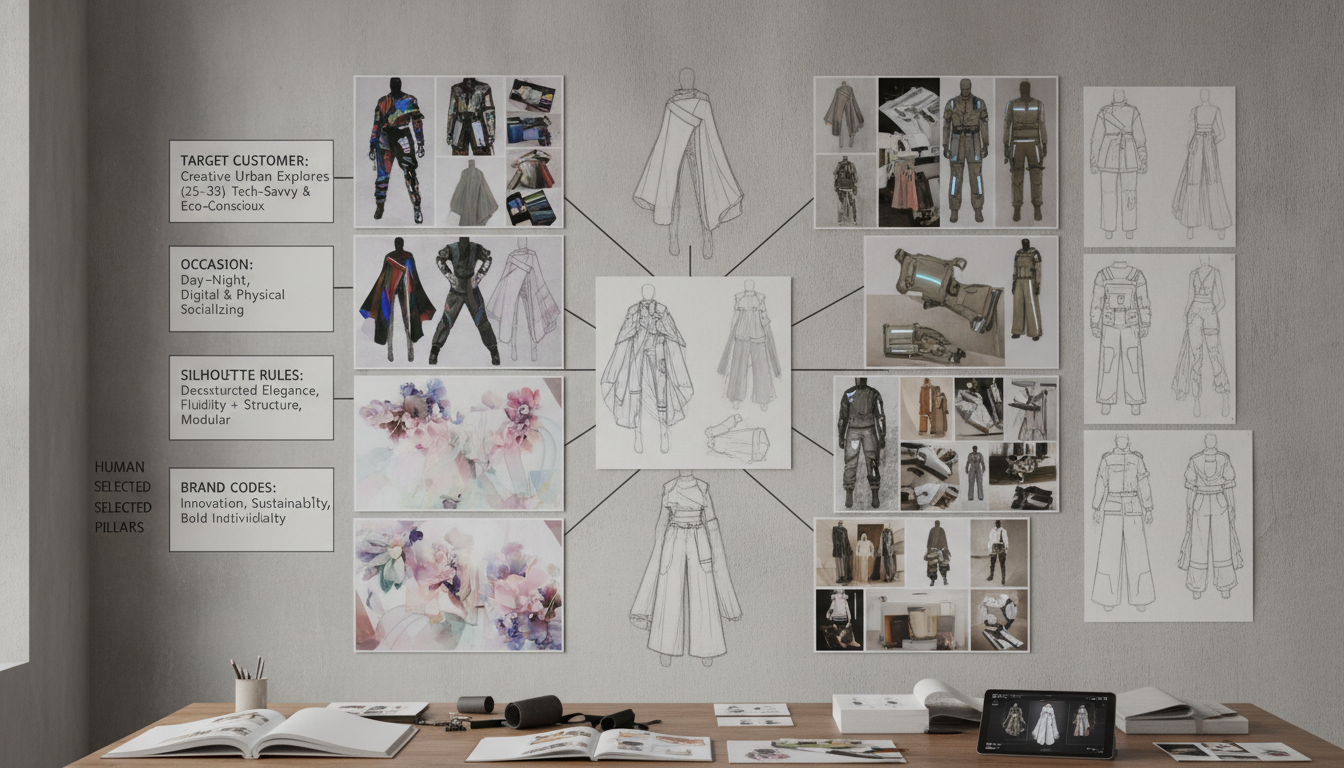
  • Target customer: age range, lifestyle, price point, comfort level

  • Occasion: meeting, travel day, wedding guest, gallery opening, everyday uniform

  • Silhouette rules: lengths, volumes, fit preferences, what must stay consistent

  • Brand codes: colors, fabrics, references, hardware, stitching, do-not-use list

Works best when your constraints are specific enough to judge quickly. Fails when constraints are vague, because the model fills the gaps with generic looks you have already seen.

In practice, use a prompt pattern that forces divergence:

  1. Generate 12 directions that obey my constraints

  2. Push to 4 extremes (too minimal, too ornate, too sporty, too formal)

  3. Give 6 “wrong answers” that break one rule each, and explain what makes them wrong

  4. Combine two distant directions into 5 hybrids

If you’re short on time, skip the hybrids and do steps 1 and 3 only. You’ll still get fast contrast, and you can mark 2 to 3 directions for deeper human sketching.

Turn AI into a creative partner by directing it with your taste

Next, stop treating the AI’s first answer as a finished concept. Treat it like raw material: something you annotate, remix, and curate the way you’d edit a moodboard, pulling forward the 2 to 3 details that feel like you and discarding the rest.

A common mistake is asking for “a cool logo” or “a modern landing page” and then accepting whatever comes back. The fix is to give taste constraints the AI can actually follow, then do a quick edit pass: keep, cut, and rewrite until it matches the voice you would sign your name to.

Also, ask for comparisons and critiques, not just more options. This works best when you already have a direction (even a rough one) and need help stress-testing it; it fails when you have no point of view and keep prompting for “better” without saying what better means.

Try prompts like these and edit the response like a creative review:

  • Compare Concept A vs Concept B for a brand that is calm, minimal, and a bit playful

  • What feels off-brand here, and what single change would bring it back

  • What parts look overdone or trend-following, and what would feel more timeless

  • What is not feasible in a 2-day sprint for one designer, and what is the closest practical version

  • Rewrite this headline in 5 tones: confident, warm, blunt, premium, quirky

  • Critique this layout as if you’re a design lead: hierarchy, spacing, and readability

If you do one thing, do this: keep a short “taste checklist” you paste into every prompt. If you’re short on time, skip generating 20 variants and instead ask for 3 variants plus 3 critiques, then refine one draft for 15 minutes before generating anything else.

Protect originality with a simple workflow for authorship and refinement

Also, the easiest way to stay original is to decide what AI is not allowed to touch, and what must stay yours until the end. If you treat AI like a moodboard replacement, you can end up with outputs that feel familiar in the wrong way, especially after 2 to 3 prompt rounds.

A simple rule: use AI early for range, then switch to a clear author workflow where the final decisions come from you, not the model.

Set “no-copy” boundaries before you generate anything

Next, write your boundary list in the same doc as your prompts so you do not weaken it when you are in a rush. This works best when you are exploring silhouettes, details, or styling directions, and it fails when your input is basically someone else’s collection.

Use boundaries like these:

  • Avoid named brands, specific designers, and identifiable artworks as references

  • Use eras, regions, subcultures, or functional constraints instead of names (for example, “late 90s clubwear energy” or “rain-ready outerwear for a bike commute”)

  • Describe shapes and construction, not lookalike items (for example, “high-stand collar with hidden placket” instead of “like the classic X jacket”)

  • Keep reference boards mixed: 10 to 15 images across at least 3 sources or categories, not one runway set

Common mistake: pasting a single iconic garment and asking for “more like this.” Fix it by rewriting the prompt as constraints and intents, then generating 20 rough options you can edit down.

Add your signature layer last so the work stays yours

So, once you have options, stop prompting and move into refinement that only you can do. If you do one thing, do this: reserve the last pass for decisions that are hard to copy because they come from your taste, your customer, and your build logic.

Add your signature layer in a final checklist:

  • Fabric decisions: specific hand feel, weight range, drape, sheen, and what the fabric must survive (for example, “6-hour wear with sweating” or “packing into a tote twice a day”)

  • Construction logic: seam placement, closures, lining choices, and where you will simplify to hit a price point

  • Styling narrative: who is wearing it, where they are going in 30 minutes, and what they refuse to compromise on

  • Final selection criteria: 3 to 5 pass-fail rules (for example, “works with flat shoes,” “no special undergarments,” “can be produced with our current machines”)

If you’re short on time, skip another generation round and do a 10-minute signature pass: pick 1 option, change 2 construction choices, swap 1 fabric assumption, and rewrite the styling story in your own voice.

Closing remarks

Tools don’t replace vision, they reveal it faster. When you can produce 30 rough directions in 15 minutes, the real work becomes choosing what feels true to the brief, the audience, and your taste.

So the question is simple: what would change in your process if AI handled quantity, and you owned quality as the final creative filter. If you do one thing, make your last pass non-negotiable, check the idea, the hierarchy, the words, and the details like spacing and contrast before anything ships.

Build design skills you can pair with AI workflows