-------------------------------------
Milan Fashion Campus
May 25

From Idea Overload to Visual Direction With AI in Fashion

Key Takeaways

  • AI can help fashion creatives move from confusion and reference overload to a clearer visual direction faster

  • You can start learning AI for fashion in a self-paced online way without a technical or complicated setup

  • A beginner-friendly AI fashion design course should focus on practical fashion application, not heavy theory

When your fashion ideas feel endless but not actionable

You have 18 tabs open, three moodboards, and a camera roll full of “maybe” silhouettes. The references are good, but every new save adds another possible direction, so starting a sketch feels harder instead of easier.

A common pattern is spending 1–3 hours browsing before you design, then realizing you still cannot explain what the look needs to say. By the end of this section, you’ll be able to map a simpler, AI-aided workflow that turns inspiration into one clear next visual step.

So the goal is not to collect more inspiration, it’s to make a decision you can act on in 20 minutes. If you do one thing first, do this: write a one-sentence design brief that forces focus, then use AI to generate options that match it.

Use this quick reset when you feel stuck:

  • Pick one product to design next (for example: cropped jacket, bias-cut slip, wide-leg trouser)

  • Choose 3 adjectives for the vibe (for example: sharp, airy, utilitarian)

  • Set 2 constraints (for example: black and ecru only, no prints, must work with sneakers)

  • Ask AI for 10 variations based on that brief, then select 2 to develop

Why AI is becoming part of the fashion workflow

Also, the reason AI is showing up in more fashion work right now is simple: teams need speed and more rounds of iteration without adding more hours. When you can test 10 directions in 30 minutes instead of two directions in half a day, you spend less time stuck and more time choosing what to make real.

AI also helps with visual exploration, especially in early concepting when you are not ready to pattern, sample, or shoot. You can quickly compare silhouette options, fabric moods, color stories, or styling angles, then keep what works and drop what does not before you spend money on production.

In simple terms, think of AI as a practical assistant that helps you draft, vary, and communicate ideas faster, not a replacement for taste or creativity. It cannot know your brand point of view, but it can help you get from a fuzzy idea to something you can react to and refine.

If you do one thing, use AI to make communication clearer across design, styling, and content. A quick set of visuals can reduce back-and-forth, prevent misunderstandings (like the wrong neckline or the wrong styling energy), and help a team sign off on one direction before the next step.

AI does not have to be difficult to learn
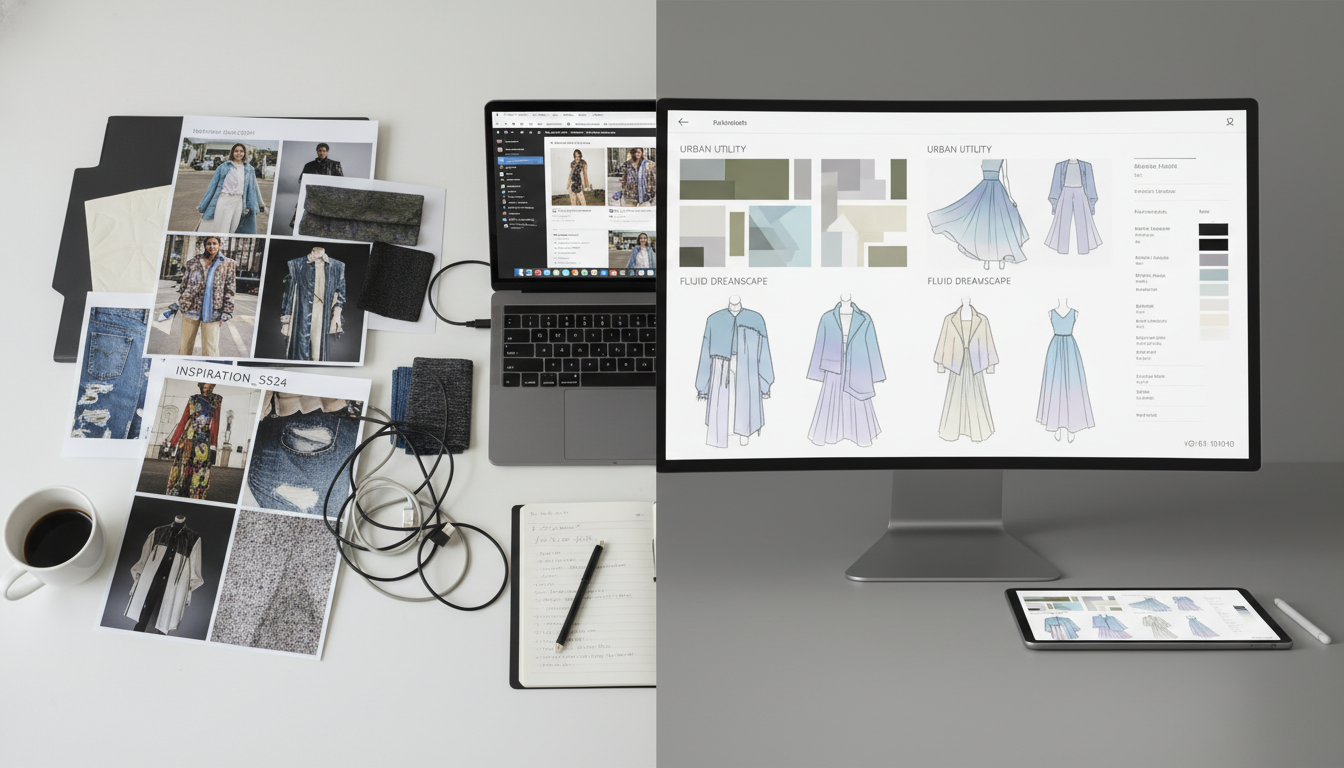
Next, if AI feels like a huge technical leap, you are not alone. A lot of beginners get stuck because they think they need a complex setup, perfect tools, or a deep tech background before they can make anything useful.

The key idea is to trade complexity for consistency: one clear goal, one small prompt, one quick check, then a small revision. You learn faster with a focused, repeatable practice loop than by trying five tools in one night and not knowing what caused the result.

In practice, self-paced online learning is a manageable starting point because you can move in 15 to 30 minute blocks and repeat the same steps until they feel natural. If you do one thing, do this: pick one fashion task for a week and practice it daily.

A simple loop you can repeat:

  • Choose one outcome like 3 outfit concepts for a streetwear capsule

  • Write one prompt and change only one variable each run, like fabric, decade, or silhouette

  • Save your top 3 results and write one line on why they worked

  • Re-run with one change, like a tighter color palette or clearer styling notes

A common mistake is jumping from ideation to final look too early. Fix it by timing your sessions: spend 10 minutes generating options, 5 minutes selecting, then 10 minutes rewriting prompts based on what you picked.

What fashion creatives can use AI for

Next, think of AI as a fast assistant for early-stage creative work: it helps you go from scattered references to a direction you can actually build from. The goal is not to replace taste, but to reduce the time you spend stuck in “inspiration mode” without making decisions.

Here are practical ways fashion creatives often use AI in the workflow:

  • Idea generation for collections, themes, and stories when you only have a few keywords

  • Mood exploration to test different vibes, decades, or cultural references before committing

  • Silhouette experimentation to quickly compare variations like oversized vs fitted, longline vs cropped, minimal vs detailed

  • Textile direction to explore surface ideas such as weave, sheen, weight, and pattern scale

  • Styling image development for look ideas, accessory pairings, and scene concepts for editorials

  • Post-production support like cleaning backgrounds, expanding crops, and creating consistent color feel across a set

The real use shows up when you turn vague inspiration into a consistent set of visuals. For example, you can start with 20 messy screenshot references, ask for 3 clear creative directions, then build a small board for each with a defined palette (5 to 7 colors), a silhouette list (6 to 10 shapes), and a short styling note you can follow in your next shoot or sketch session.

Closing remarks

Next, keep one phrase close as you sort ideas into something you can actually make: “Clarity is a creative skill.” When you treat clarity like a skill you can practice, the pressure drops and decisions get easier to repeat.

So, take a quiet minute and ask yourself: what would you make if you had a simple way to choose a direction and start? Write the first answer that comes to mind, then pick one small action you can do in 20 minutes, like saving 10 reference images, naming one silhouette, or drafting a two-sentence concept for a mini collection.

Start simply with a self-paced online AI fashion design course

So if you want to move from experimenting to real output, a self-paced course can be the easiest way to stay consistent.

The Artificial Intelligence Online Fashion Design Course is a practical starting point because it keeps the focus on fashion work, not tech jargon. You can take it on your own schedule, and it’s designed to help you go from your first prompts to usable visuals you can bring into a moodboard, styling direction, or early collection sketch stage.

Here’s a simple way to use a self-paced course without getting overwhelmed:

  • Set a 4-week goal and plan 2 to 3 short sessions per week

  • Build one repeatable prompt structure for silhouettes, materials, and styling

  • Save a small library of your best results, like 20 images for one mini theme

  • Do one weekly review where you keep 5 images and discard the rest

Here’s the catch: a course works best when you apply it to a real project, like a capsule collection concept, a styling pitch, or a textile idea you already care about. It fails when you only collect pretty images and never decide what you’re designing.

If you want a broader view of the school and other ways to study fashion (online or in Milan), you can also browse the main site at: HERE. And if your priority is to start with AI specifically, you can review the course details here

FAQ

I’m a beginner. Can I use AI in fashion without drawing skills?

Yes. Start with reference images and clear prompts, then iterate. You can build moodboards, color palettes, and rough silhouettes first, and only move to sketching later if you want

What can I finish in 30 minutes a day with self-paced learning?

A small, repeatable output. For example: one mini moodboard, one fabric direction, one set of 10 prompt variations, and one chosen concept to refine the next day

What is the most practical fashion use of AI for beginners?

Idea filtering. Use AI to generate options, then pick one direction and write a simple design brief. If you do one thing, do this, because it turns inspiration into decisions

What’s a common mistake when using AI for fashion visuals?

Asking for finished looks too early. Fix it by working in steps: vibe and references first, then silhouette, then details like trims, prints, and styling

Will AI replace fashion designers?

It works best as a helper for speed and variation. It fails when you need taste, brand fit, and real-world garment constraints like fit, construction, and materials

How do I write a good prompt for fashion design images?

Include 5 parts: garment type, silhouette, material, color palette, and context. Add one constraint like “commercial wearable” or “editorial sculptural” to reduce random outputs

How can AI help with fabric and print ideas?

Use it to propose print themes, repeat motifs, and colorways, then test them against your target customer and price point. Always check if the pattern can be produced

Can I build a capsule wardrobe concept with AI?

Yes. Define the customer, season, and number of looks, then ask for mix-and-match pieces. Next, check consistency: shared palette, repeat materials, and clear outfit formulas

What AI tool is best for fashion design?

Choose based on your result. Image tools help with silhouettes and styling; text tools help with briefs, collection names, and line sheets. If you’re short on time, pick one tool and stick with it

How do I keep my collection consistent across AI images?

Reuse a fixed prompt core: brand adjectives, palette, and silhouette rules. Also keep a reference board and only change one variable per iteration, like neckline or sleeve shape

How do I use AI to create a fashion moodboard?

Start with 3 keywords, 1 time period or reference style, and 1 customer scenario. Generate 12 images, keep 6, then label them by color, texture, and silhouette to guide decisions

How do I use AI for technical fashion work like flats or spec sheets?

Use AI to draft descriptions and construction notes, but verify every measurement and detail yourself. AI can suggest parts, but it cannot confirm fit, grading, or manufacturability